
Authentication
Secure your API requests using API Keys generated from the Vendor Dashboard.
API Key Header
All requests must be authenticated using an API Key passed in the HTTP header.
HTTP Header
x-api-key: YOUR_API_KEY_HEREObtaining Your API Key
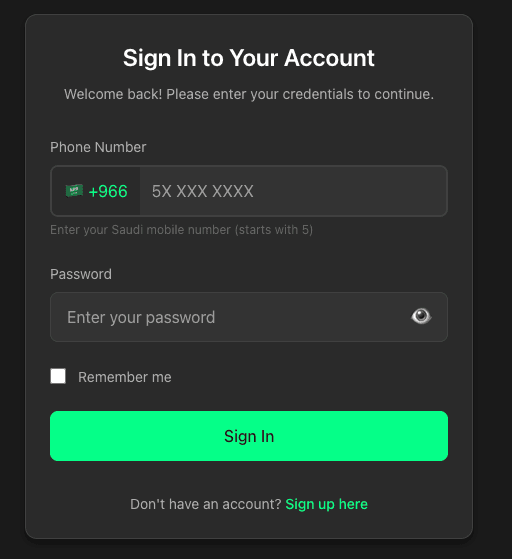
1. Open Vendor Dashboard
Go to https://vendor.grandshifts.com/login and sign in using your registered phone number and password.
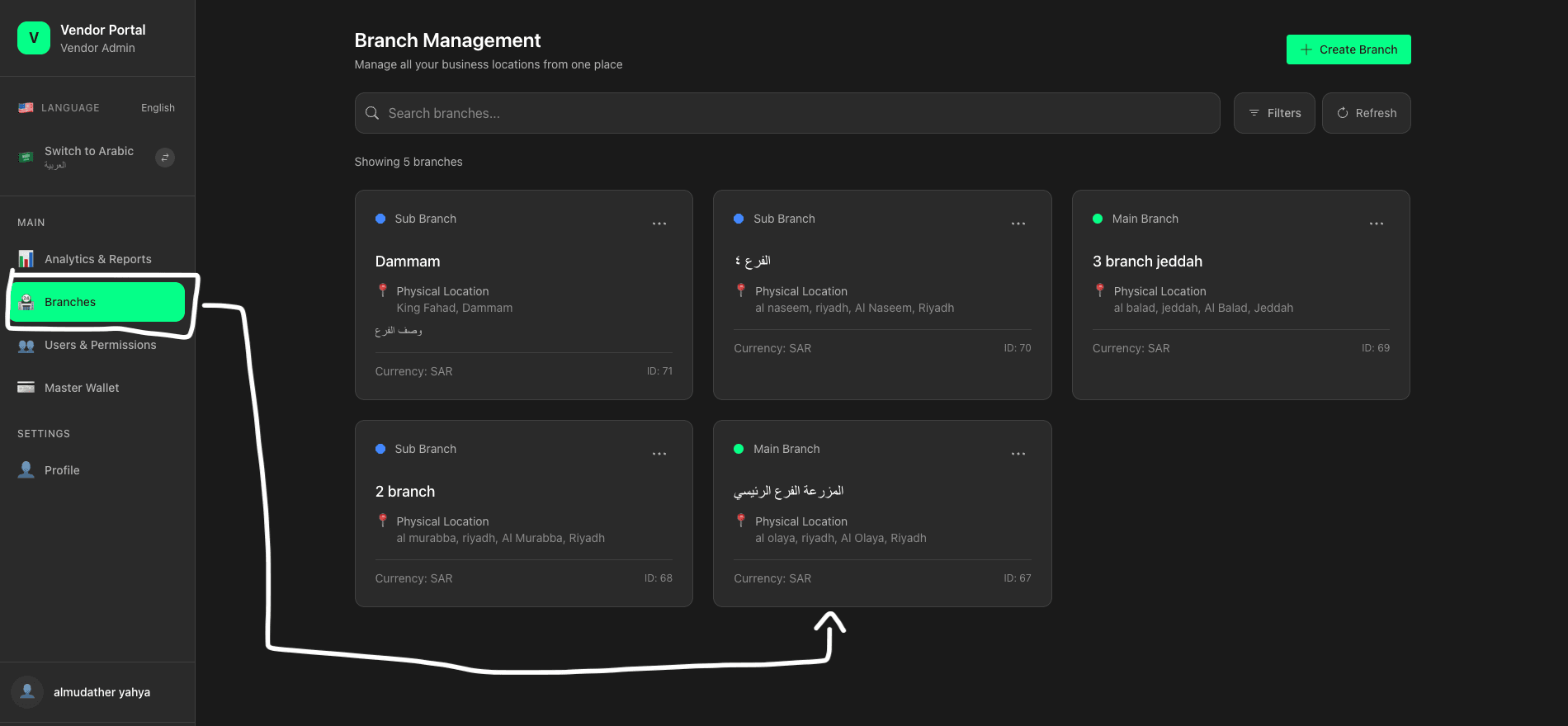
2. Navigate to Branch
Navigate to Branches and select the branch you want to connect with PoS.
3. PoS Configuration
Open PoS Management inside your branch dashboard.
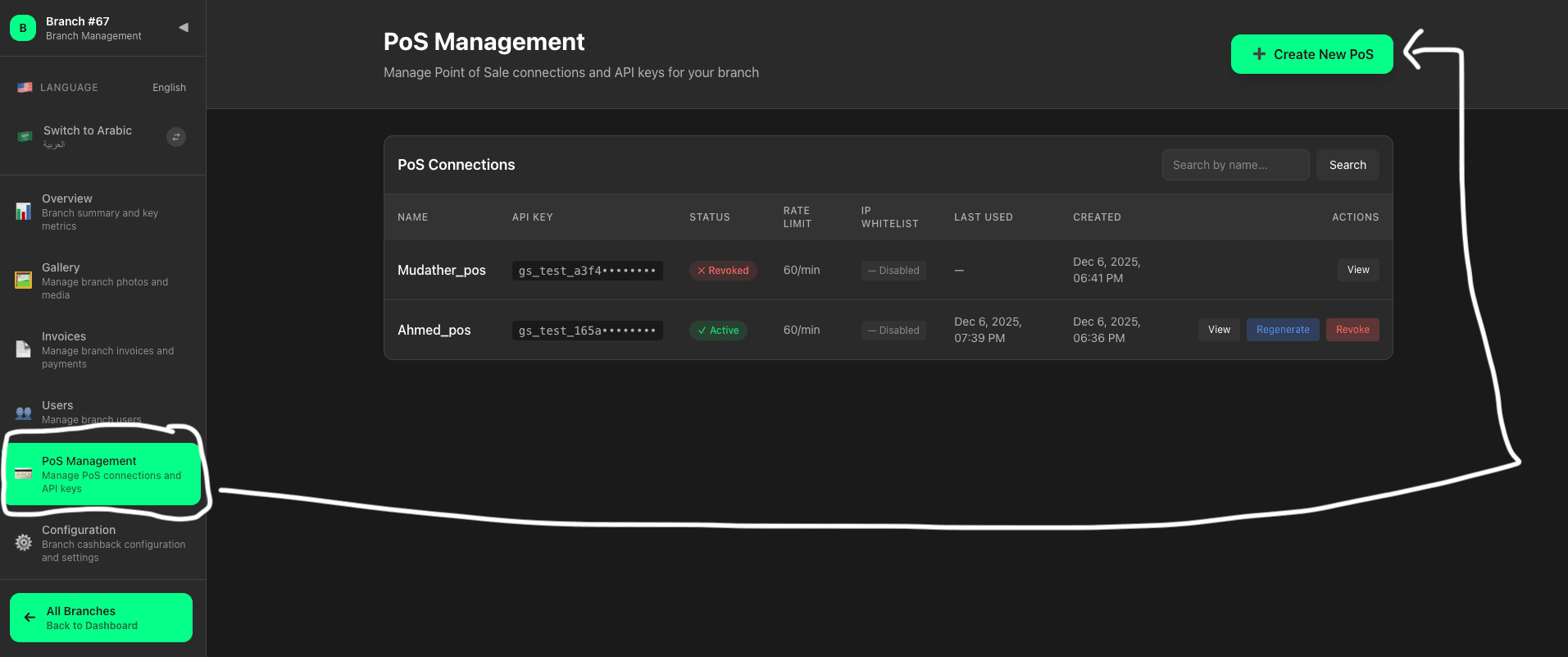
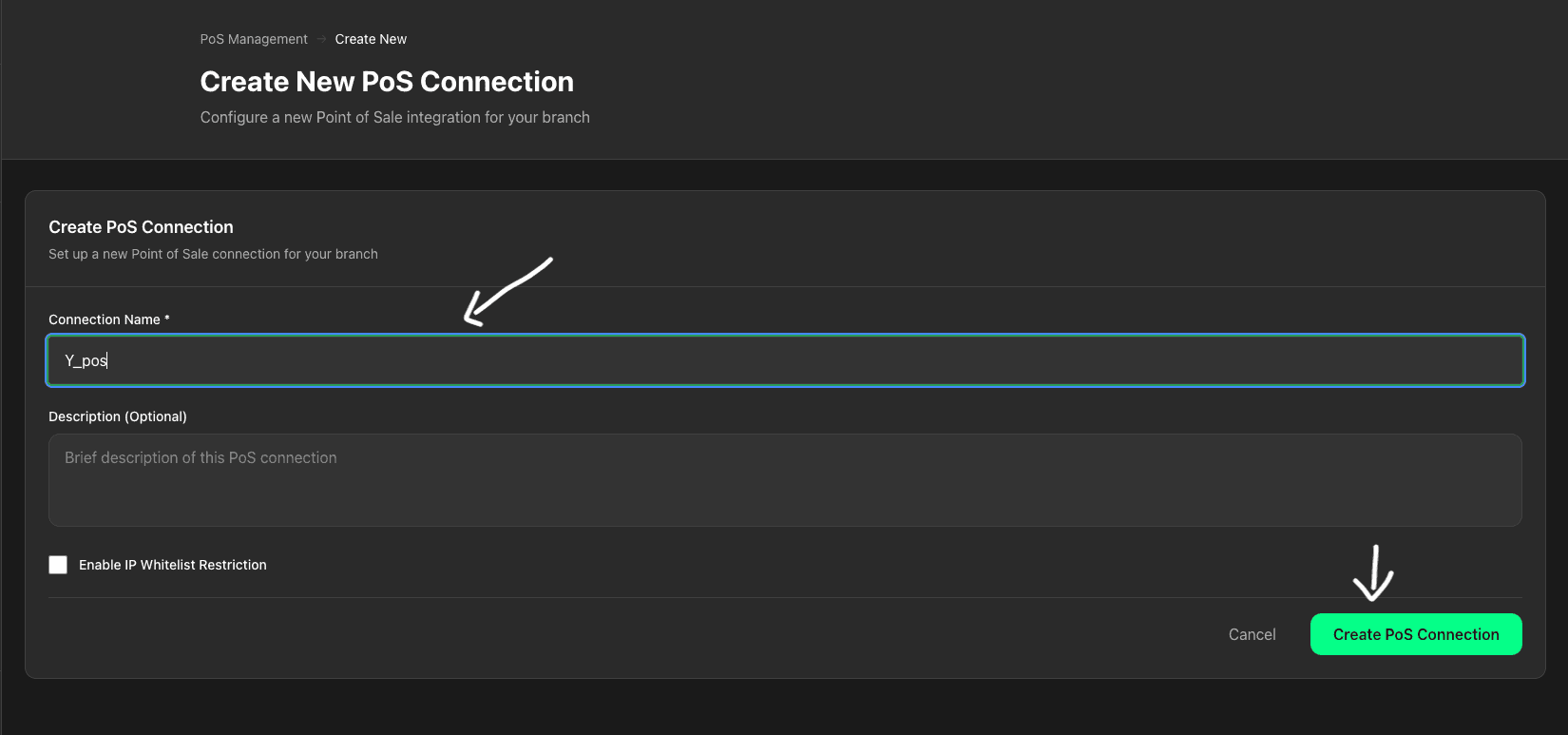
4. Create Connection
Click Create New PoS, enter a connection name, and confirm.
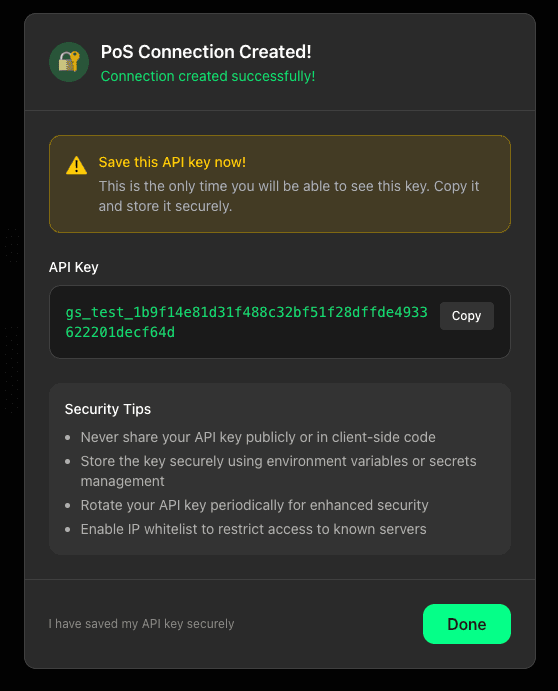
5. Save API Key
Copy the API key immediately (shown once only) and store it securely.
Security Best Practices
Security Tips
- Never expose API keys publicly (e.g., in client-side code).
- Use environment variables to store keys.
- Rotate keys periodically.
- Enable IP whitelist if available.